Owner HQ
Your calls and bookings. On your phone.
Owner HQ is the app where you see what phone answering did for you: each call with its summary, the bookings coming up, and your minutes for the month.
- Your business only
- Sign in with your email
- No recordings

How it works
We switch it on. You sign in.
- 1
We switch it on for you
Owner HQ is rolling out client by client. We turn it on for your business and tell you when it is ready.
- 2
Sign in with your email
Type the email we have for you and open the sign-in link we send. It shows your business's data and nobody else's.
- 3
Keep it on your phone
Add it to your home screen like an app. Open it whenever you want to see how the phone is doing.
Until it is switched on for you, the same calls and bookings are in your Google Sheet and Calendar.
What you get
The phone's work, at a glance.
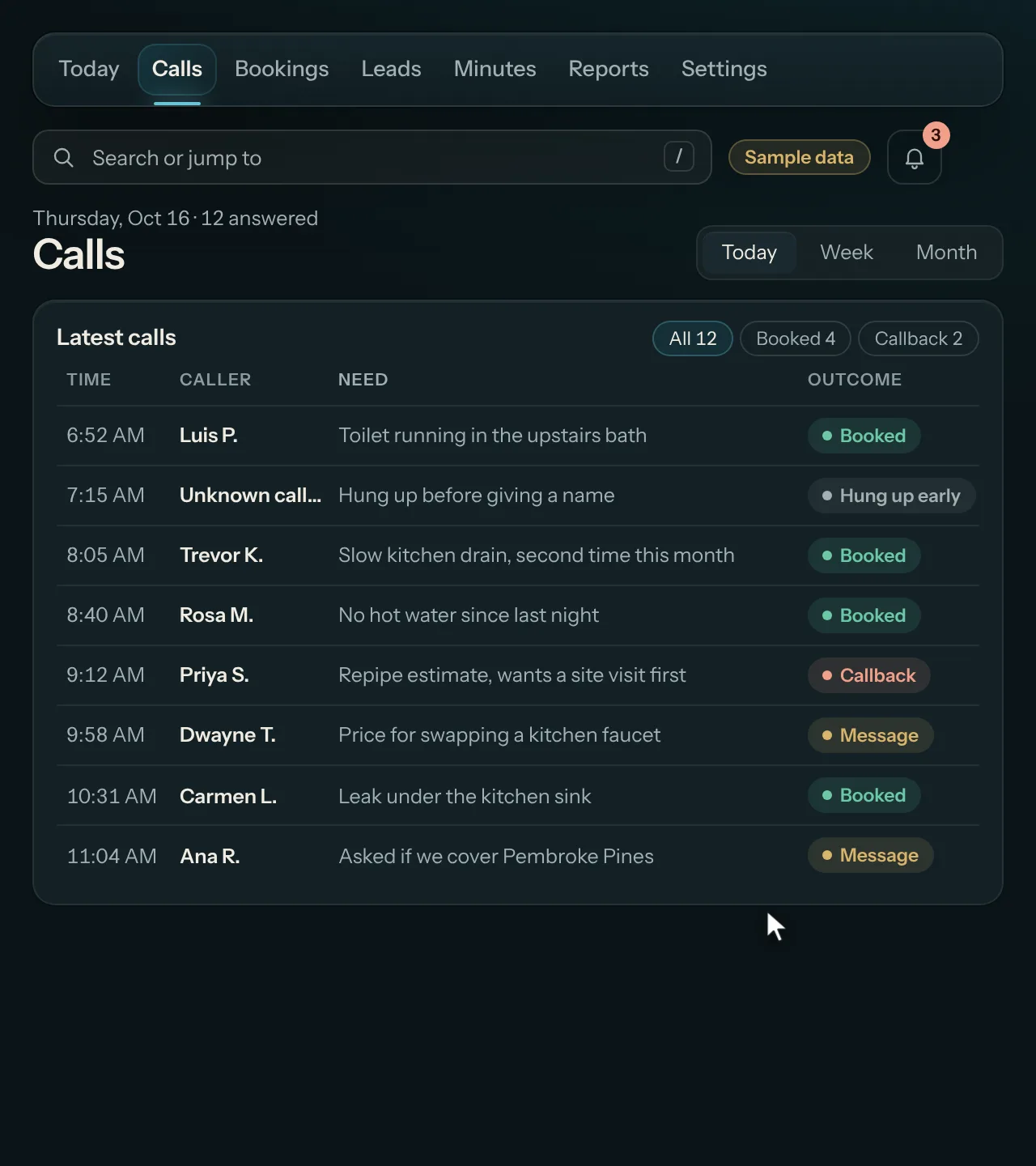
Your calls
Who called, what they needed, the details read back, and whether it booked.
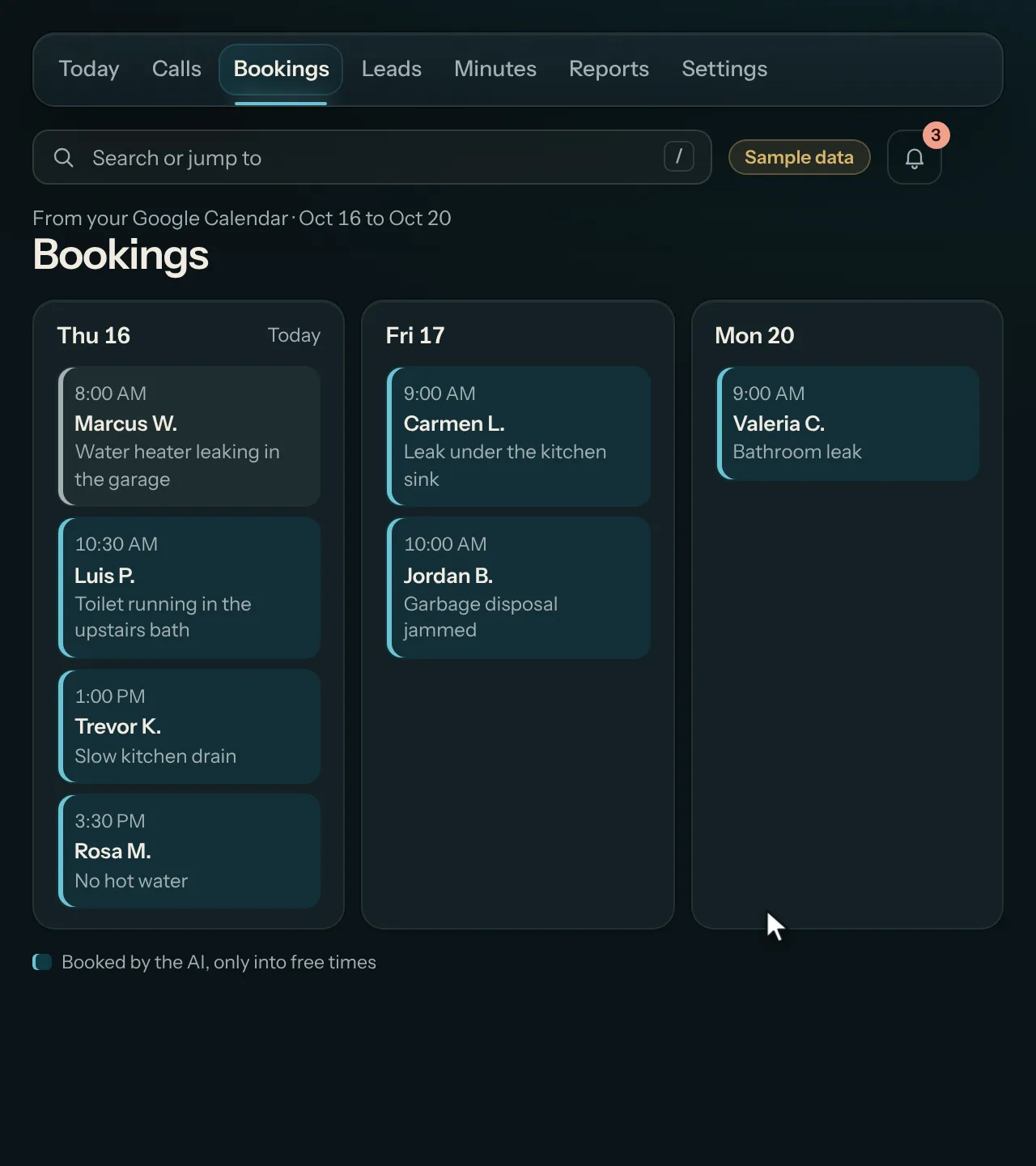
Your bookings
The jobs coming up from your Google Calendar, with what each one is.
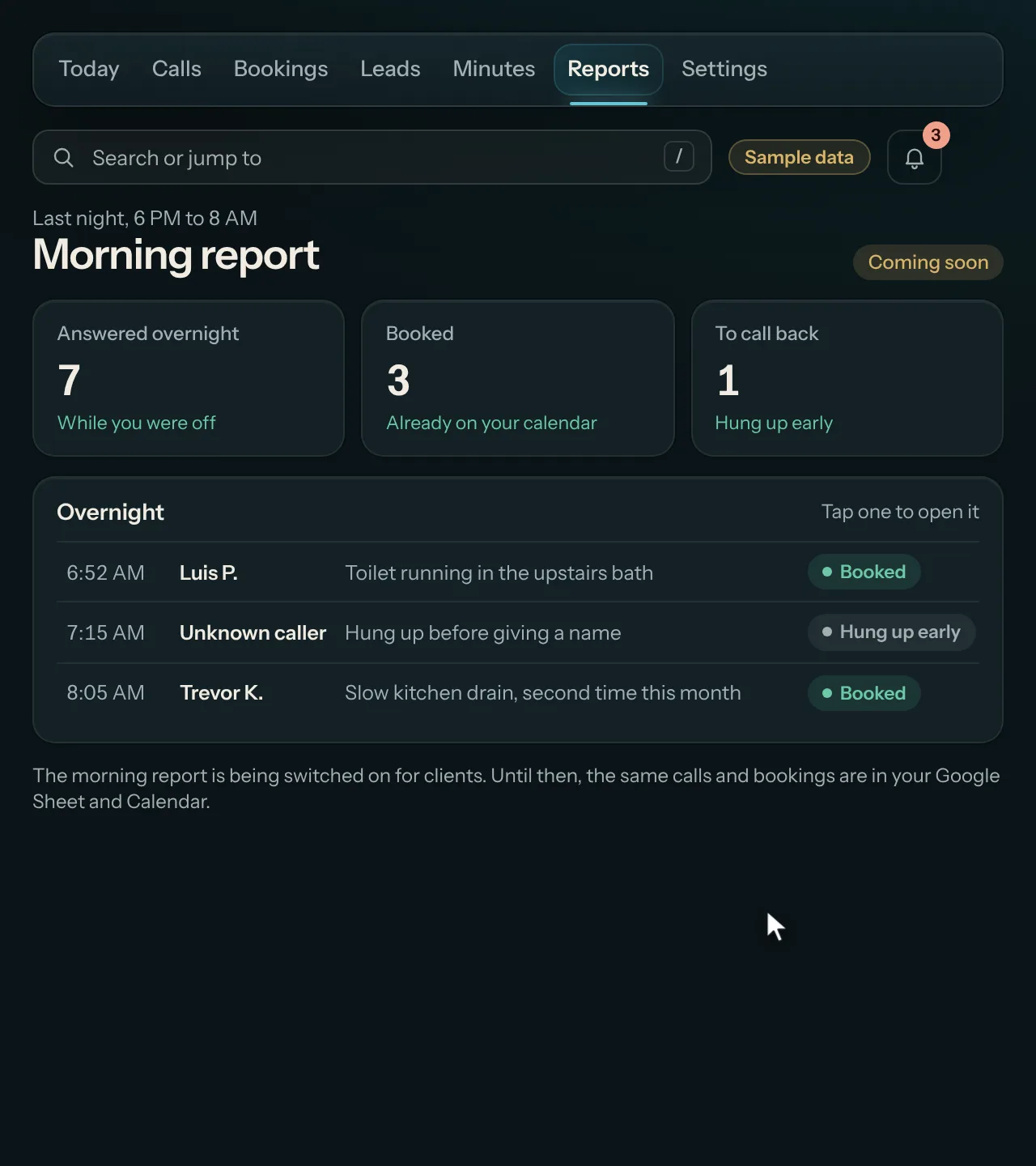
Your month Morning report coming soon
Minutes used of your plan's included minutes. A morning summary of last night's calls is coming soon.
Recorded on sample data: every business, person and number is made up.
What it costs
No separate price.
Owner HQ is for businesses on phone answering, $99 a month with 200 minutes, as it rolls out. It is not sold on its own.
Free trial
Try it free for 14 days.
We set it up for you, nothing is charged during the trial, and no card is needed. If it isn't worth it after 14 days, we switch it off and you owe nothing.
Common questions
Straight answers.
Anything else? Call the line and ask it.
Is Owner HQ on for me?
It is rolling out client by client, and we tell you when yours is on. Until then, your calls and bookings are in your Google Sheet and Calendar.
Who can see my data?
You. You sign in with the email we have for your business, and it shows only your business's calls and bookings.
Does it play recordings or show transcripts?
No. Calls are not recorded and no transcripts are kept. You see a written summary of each call.
Can I change a booking in it?
No. It is a results screen. Bookings live on your Google Calendar, and you change them there.
Is the morning report ready?
Not yet. It is coming soon.
Try it
See your calls the morning after.
Start with phone answering, free for 14 days.
Questions first? Call our AI and it books a 30-minute call with our team.