Calendar booking
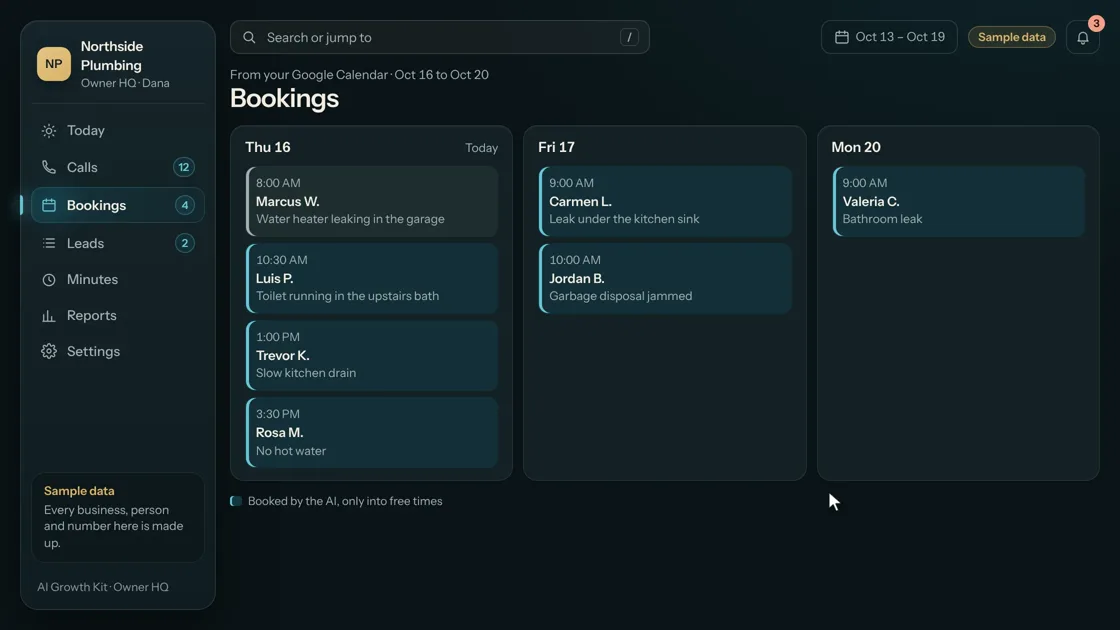
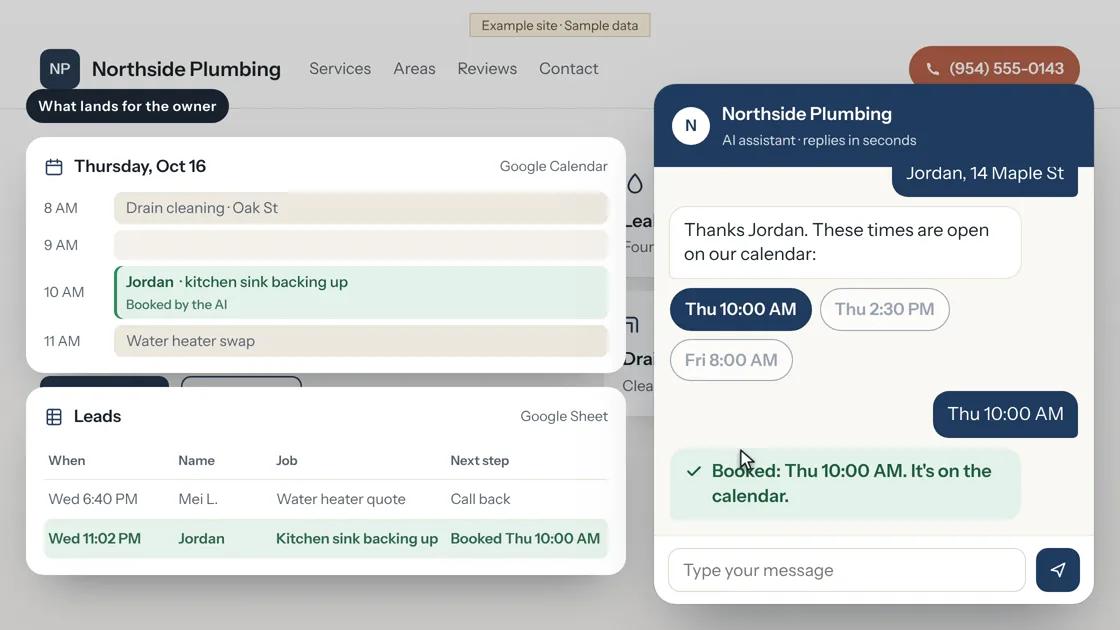
Jobs land on your Google Calendar at times that are open, with no double booking.
Included with phone answering and website chat
Calendar booking
See it work
Sample data
Calendar booking
How it works
- 1
Connect your calendar
You share a Google Calendar with us during setup.
- 2
Your hours set the slots
Slots follow your open hours and the length of a visit.
- 3
The assistant checks before it offers
It looks at the calendar first, so a busy time is never offered.
- 4
You see it in Owner HQ
Each booking shows in your calendar and in your results app.
Calendar booking
Who it is for
- Owners who book by hand today and lose time going back and forth.
- Anyone who uses Google Calendar.
Calendar booking
What it does, and what it does not
What it does
- Offers only open times and books one.
- Works for phone calls and for website chat.
What it does not do
- It works with Google Calendar. Other calendars are set up with you on the setup call.
- It does not move a booking you made by hand.
Pricing
Included with phone answering and website chat
Booking comes with phone answering ($99 a month) and website chat ($79 a month). There is no separate fee.
Calendar booking
Questions
Can it double book me?
It checks your calendar before it offers a time.
Who sees the bookings?
You do, in your calendar and in Owner HQ.
Live now
Calendar booking
Jobs land on your Google Calendar at times that are open, with no double booking.